Databases
Databases store structured content — blog posts, products, testimonials — that powers dynamic content on your projects. Upsie can create them for you, and you manage their data from your dashboard.
A database is a collection of structured data that can be used to power dynamic content on projects.
Databases enable storing and managing various types of information, such as blog posts, product details, or any other structured content.
Each database is tied to a single project.
Creating a database
The easiest way to create a database is to ask Upsie in the editor — for example: "Create a blog with a list of posts". Upsie sets up the database structure, sample content, and the pages that display it.
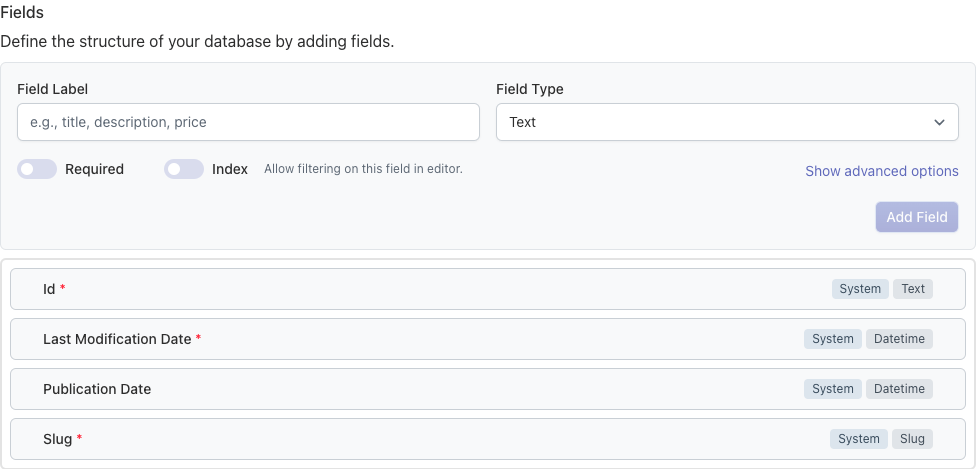
Each database is made of typed fields (text, numbers, dates, booleans, references to other databases…) that define the shape of its items.
Managing your data
Manage the content of your databases from your dashboard, in the CMS section of your project:
- Browse, create, edit and delete items in a table view.
- Save items as drafts, publish them immediately, or schedule them — see Publishing content.
- Download your data, or archive and delete databases you no longer need.