Publishing content
Save items as drafts, publish them immediately, or schedule them for later.
Database item statuses
Database items can be in one of three states: draft, scheduled, or published.
Draft
Drafts are unpublished items you can edit until they're ready to go live. Draft items are not visible to project visitors.
Scheduled
You can schedule items to be published automatically at a specific date and time. This is useful for planning content releases or coordinating with marketing campaigns.
Published
Once an item is published, it becomes immediately accessible to pages and visible to project visitors.
How to publish or schedule an item
To publish or schedule an item, follow these steps:
Open the item editor
Navigate to the database in your dashboard and click on the item you want to publish or schedule.
Choose a publication option
In the item editor, choose to publish immediately, save as draft, or schedule for later.
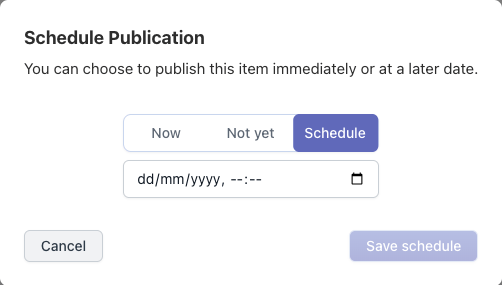
Set a publication date and time (optional)
If you chose to schedule the item, set the date and time for publication.
Save your changes
Click Save. Published items go live immediately; scheduled items go live at the specified time.